
Announcement
Announcement allows you to configure the required and important announcements for the entity maintained. These announcements provide all the related information for the entity.
To Add Announcement
- Access Admin menu, click Entities, then Announcement. The system will display Announcement Search screen. All available announcements will appear on the screen if maintained, else it will be blank.

- Click Add. New Announcement -- Profile (1/2) page appears page appears.
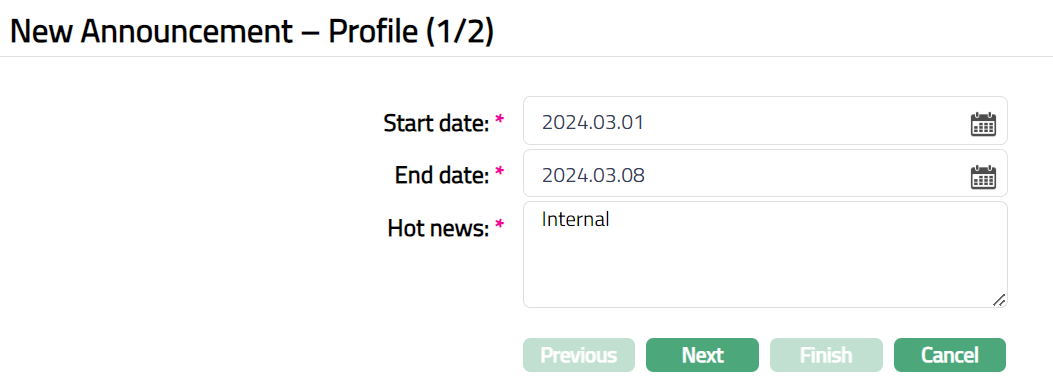
Start date denotes the date on which the Announcement is made for the entity defined at Admin > Entities > Maintain. Select the date from the available calendar.
End date denotes the date till which the Announcement is valid or applicable for the entity defined at Admin > Entities > Maintain. Select the date from the available calendar.
Enter the required announcement you would like to make under Hot news.
Click Save. New Announcement -- Confirmation (2/2) page appears.
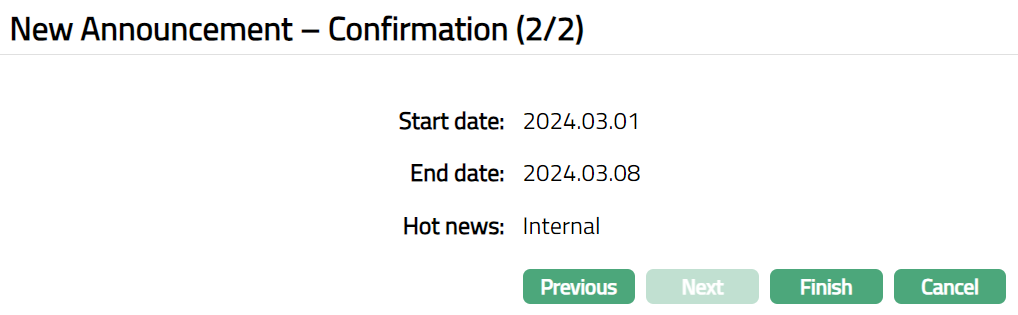
- Click Finish. Announcement Maintenance page appears with the added details.

Functions: Add, Search
To edit Announcement
- Click Edit. Edit Announcement page appears.
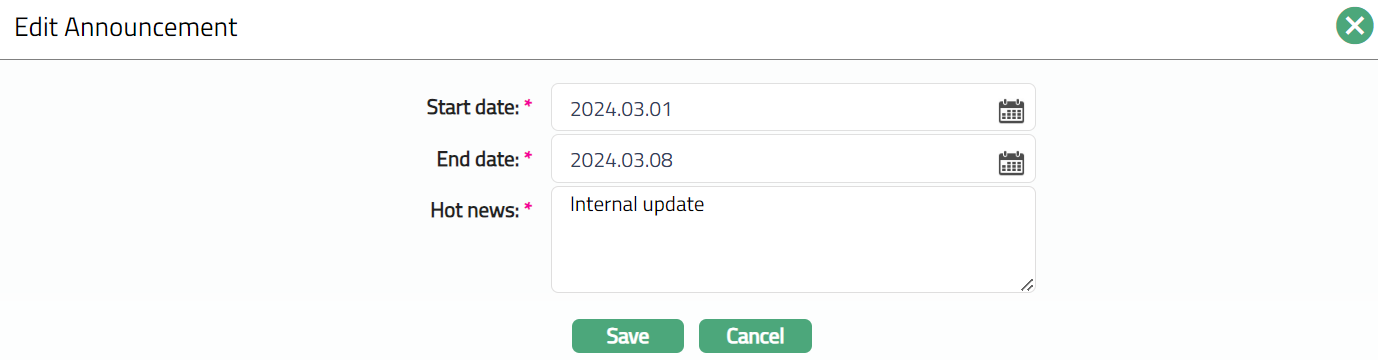
Note: All fields are editable.
- Make required changes and click Save. Announcement Maintenance page appears with the edited details.

Functions: Add, Search, Edit, Delete.
Delete: You can delete an Announcement by clicking Delete button. When you click on Delete button, Aura displays an alert message. On confirmation, Aura will delete the Announcement.