
Interest Rate History
Interest Rate History menu allows you to view all the Interest Rates maintained in Aura. If you add any Interest Rate under Interest Base menu, you can view those Interest Rates under Interest Rate History.
Viewing Interest Rate History
From Admin menu, click Pricing, then Interest and then Interest rates history.
Interest Rate History -- Search page appears. By default, you will not see any Interest Rate records initially.

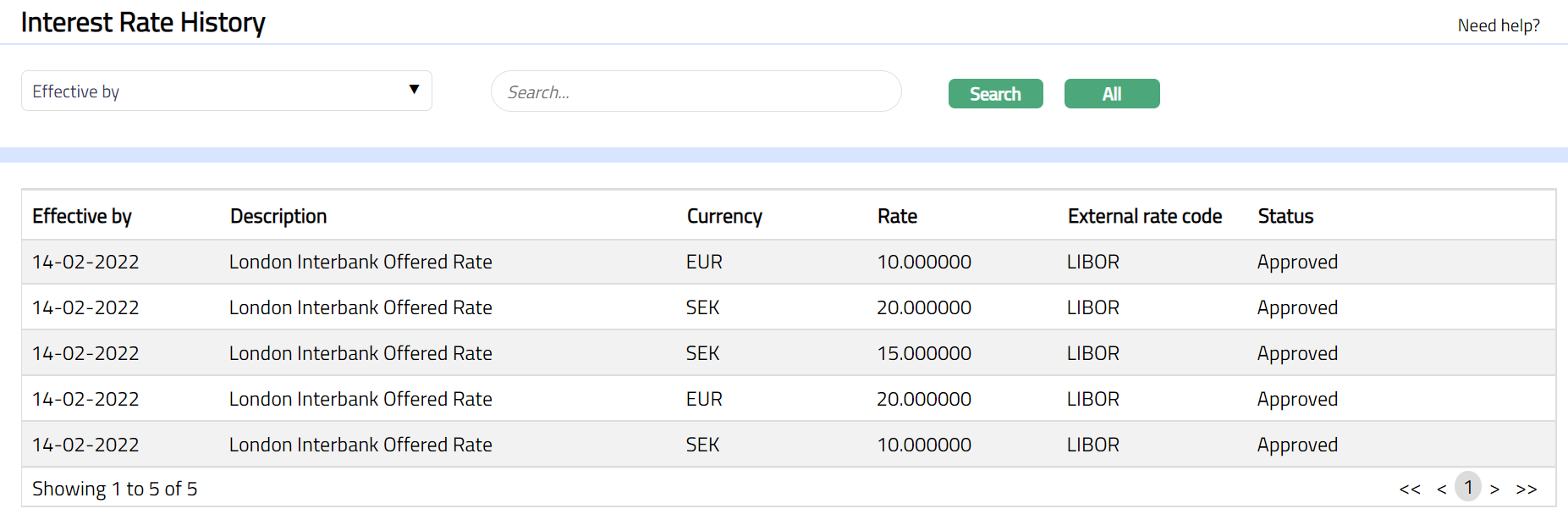
- To see all the Interest Rate records, click All. All the Interest Rate records available in Aura appears on the page, as shown below:
- To narrow down your search, select Search for option from the available drop-down list. You can search using the following inputs:
Currency
Effective by
Interest base
Enter an appropriate search input in the textbox provided next to the Search for dropdown.
For example, select currency from the Search for dropdown and enter the required currency (say, EUR) in the search text box.
5. Click Search. All the Interest Rate History records available in Aura, which satisfies the search criteria, will appear on the page. A sample is given below.
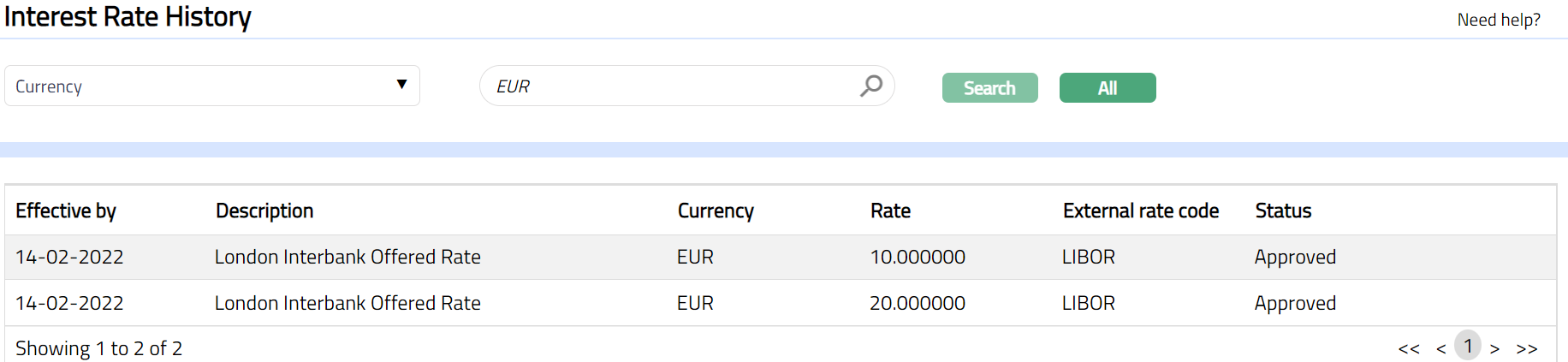
The summary details are displayed under the following heads:
Effective by: It specifies the date from when the Interest rate will be effective.
Description: It specifies the description of the Interest rate.
Currency: It specifies the currency of the Interest rate.
Rate: It specifies the rate maintained for the Interest.
External rate code: It specifies the external rate code for the Interest rate.
Status: It specifies the status of the Interest rate record.