
STP Exception
This function allows you to view those records which failed during STP Rule processing. It will display only the incoming failed records in the STP exception.
Viewing STP exception
From Payment Grid menu, click Operations, and then STP exception.
STP exception Search page appears. By default, you will not see any transaction records initially.

- To search for a transaction, click Search. All the Inward records that failed for STP, available in Payment Grid appears on the page, as shown below.
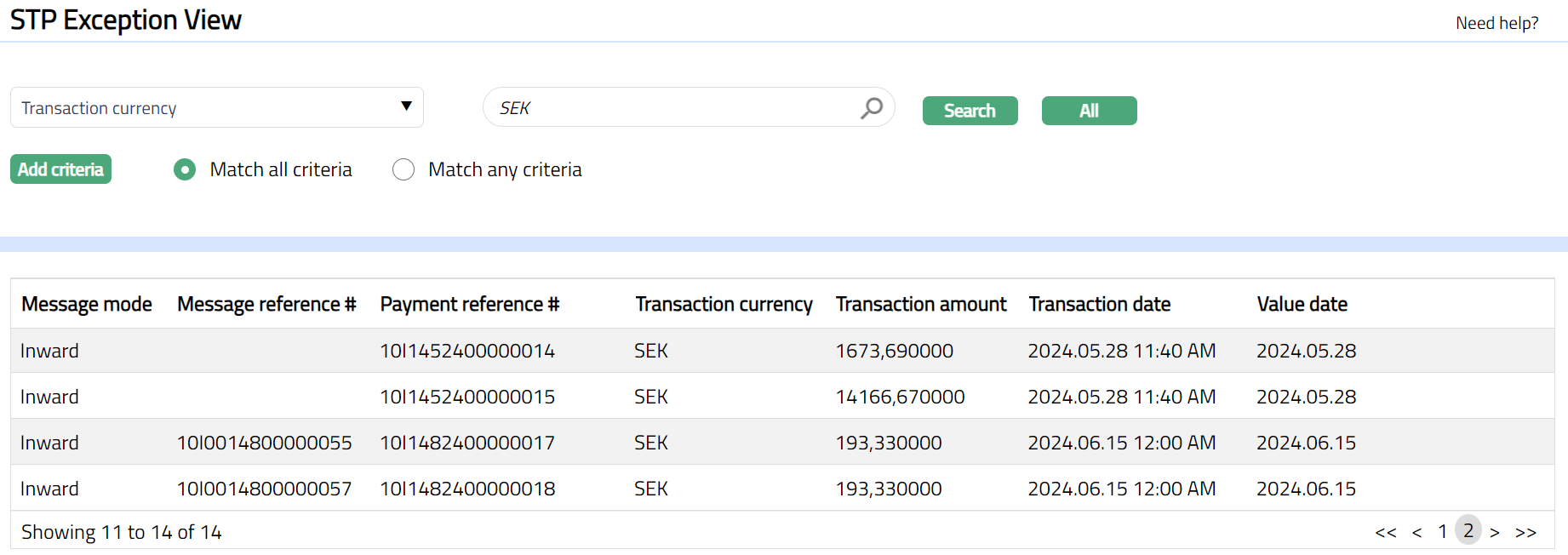
Select Search option from the drop-down list. You can search using the following inputs:
Message mode.
Message reference#
Payment reference #
Transaction amount
Transaction currency
Transaction date
Value date
Enter an appropriate search input in the textbox provided next to the Search drop-down.
For example: Select Message reference# from Search drop-down and enter reference# in the search text box.
- Click Search. All the Inward records available in Payment Grid that failed for STP, which satisfies the search criteria will appear on the page. A sample is shown below.
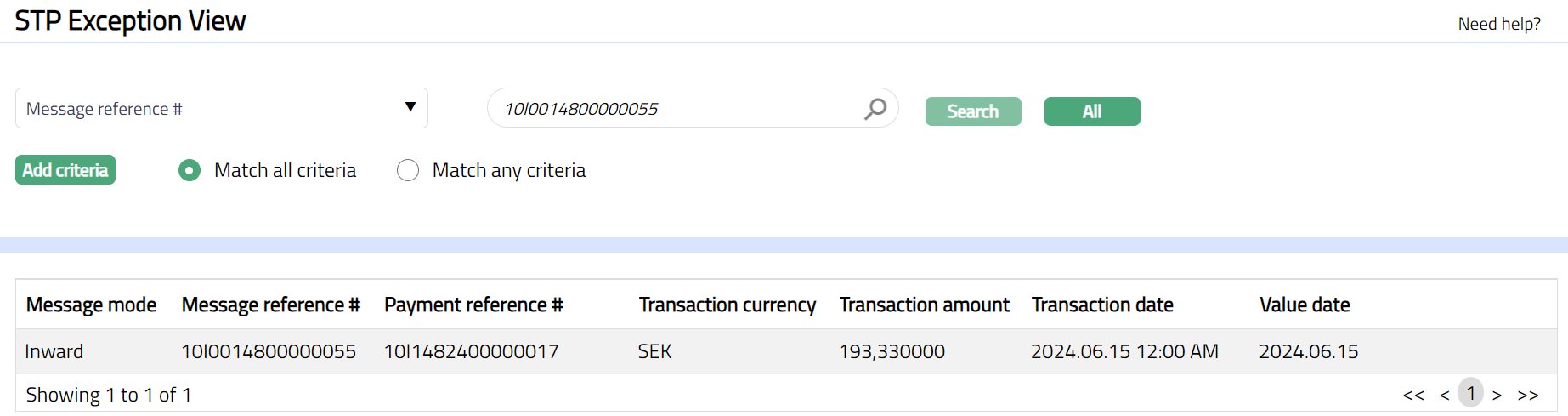
The fields available are as follows:
Message mode: It specifies the mode of the message.
Message reference: It specifies the reference number of the message.
Payment reference: It specifies the reference number of the payment that is processed.
Transaction Currency: It specifies the currency of the Transaction amount.
Transaction amount: It specifies the amount transferred between two parties in a transaction.
Transaction date: It specifies the date of the transaction that is processed.
Value date: It specifies the value date of the transaction that is processed.
- Click the record, STP Exception View page appears.
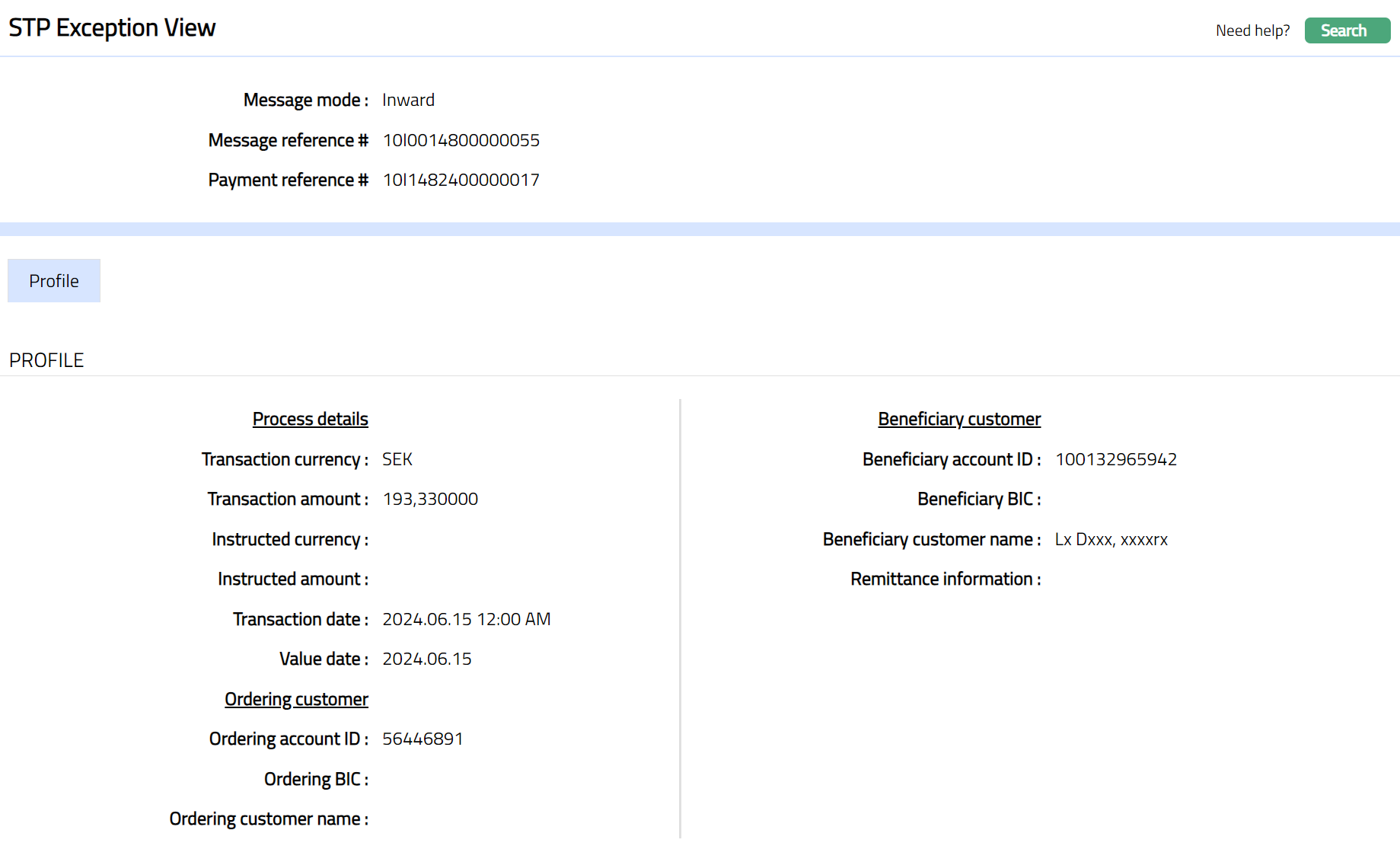
The fields that you can view in STP Exception View screen are as follows:
Message mode: It displays the mode of the message.
Message reference #: It displays the reference number of the message.
Payment reference #: It displays the reference number of the payment that is processed.
Transaction currency: It displays the currency of the Transaction amount.
Transaction amount: It displays the amount transferred between two parties in a transaction.
Instructed currency: It displays the currency of the instructed amount.
Instructed amount: The amount specified here is for information purpose. It is the instructed amount of the instruction.
Transaction date: It displays the date of the transaction that is processed.
Value date: It displays the value date of the transaction that is processed.
Ordering account id: It displays the ordering customer account id.
Ordering BIC: It displays the ordering customer's Business Identifier Code.
Ordering customer name: It displays the ordering customer name.
Beneficiary account id: It displays the beneficiary's account id.
Beneficiary BIC: It displays the beneficiary's Business Identifier Code.
Beneficiary customer name: It displays the beneficiary customer's name.
Remittance information: It displays the details of the individual transaction or a reference to another message containing the details which are to be transmitted to the beneficiary customer.