
Process Reasons
This option allows you to maintain the reasons for failure of a Process. Process reasons captured in Aura could be related to Force Closure, Overdue Tasks, etc. Once maintained here, the reason will appear in the dropdown in the respective Process.
To add Process Reason
- From Admin menu, click System Codes, and then click Process reasons under Process. Process Reason Search page appears. All Process Reason records if available in Aura appears on the page.

Click any Process Reason if available.
Click Add. New Process Reason -- General (1/2) page appears.
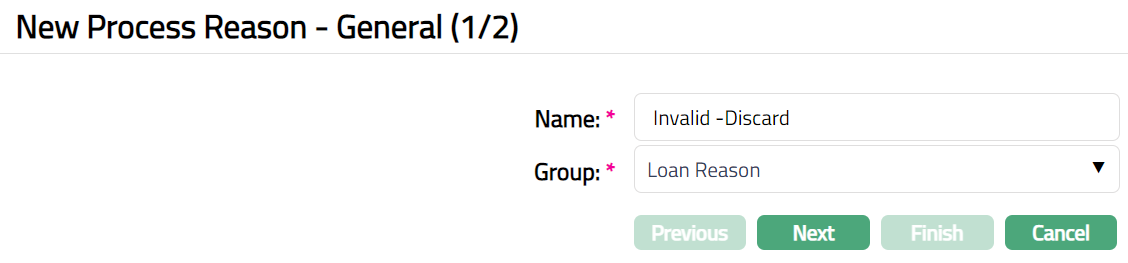
Enter Name of the new Process Reason.
Select appropriate Group that the Process Reason belongs to, from the drop-down options of pre-shipped values. The options available are EOD reason, Discard, Loan reason, Overdue reason and Service.
Click Next. New Process Reason -- Confirmation (2/2) page appears.
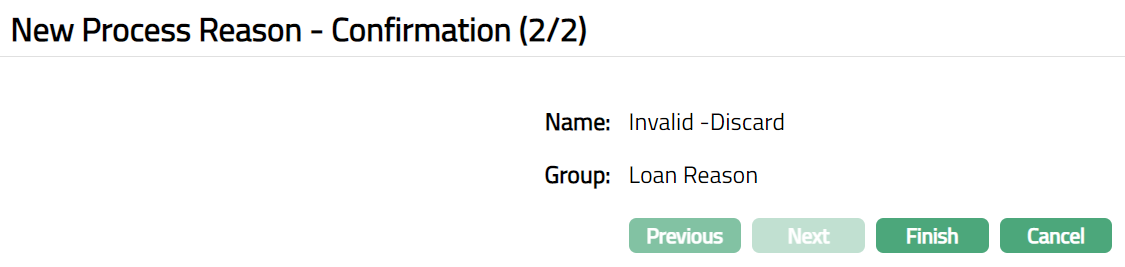
- Click Finish. Process Reason page appears displaying the details of the record you added.

Functions: Add, Edit, Delete, Search
Delete: You can delete a Process Reason record saved in Aura by a click on Delete button. Aura will ask for confirmation, on approving which the selected record will be deleted. A Process Reason can be deleted until it is used in any of the process.
To edit Process Reason
Access Process Reason page.
Click Edit. Edit Process Reason page appears.

Note: All fields are editable.
- Click Save. Process Reason page appears with the edited details.

Functions: Add, Edit, Delete, Search