
External Statement View
External Statement View allows you to see the details of external account transactions that have been imported from statement files for the purpose of reconciliation. This functionality lets you search for and view specific transaction details as they appear on the Nostro account statement provided by the correspondent bank. This view is crucial for comparing against the internal mirror account entries during the reconciliation process.
Using this functionality, you can view all the external account transaction details received from SWIFT MT950 messages. It will display all the reconciled and un-reconciled records.
To view an External Statement
From the PaymentGrid menu, click Nostro reconciliation, and then External Statement View.
The External Statement View search page appears. By default, you will not see any transaction records initially.

To narrow down your search, select the Search criteria from the drop-down list. You can search using the following criteria:
BIC: This field indicates the Business Identifier Code that uniquely identifies the banking/financial institution involved in the Nostro account reconciliation. The BIC is auto-populated from Account Mapping and Preferences.
Book date: It specifies the date the external bank books/initiates the transaction in its ledger (often shown as "entry date" on SWIFT statements). This is a bookkeeping timestamp; it is not always the same as the date when funds are settled.
External account # : This denotes the unique identifier of the external bank's Nostro account, which is auto-populated from Account Mapping and Preferences. This is distinct from internal references and is used to match transactions from the correspondent bank's statements.
Enter an appropriate search input in the text-box provided next to the Search criteria drop-down list.
For example, select Book date from the Search for dropdown and enter the required date in the search text box.
- Click Search. All the External Statement View records available in PaymentGrid, which satisfies the search criteria will appear on the page. A sample is given below
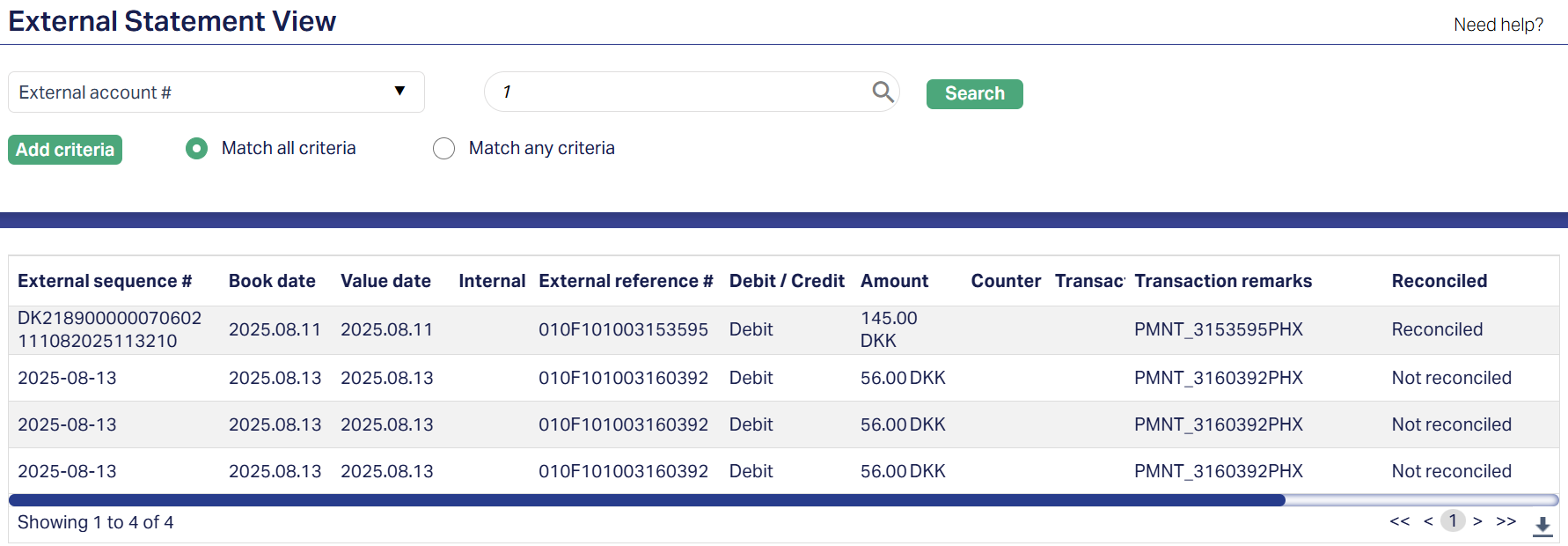
The matching records are displayed in a grid and described by the following fields:
External sequence #: It specifies the sequence or serial number assigned to each statement line by the external statement provider (the correspondent). It orders/indexes statement lines and can be used for traceability when matching.
Book date: It specifies the date the external bank books/initiates the transaction in its ledger (often shown as "entry date" on SWIFT statements). This is a bookkeeping timestamp; it is not always the same as the date funds are settled.
Value date: It specifies the date on which the transaction affects the available/settled balance (that is, when funds are considered effective). Value date is not always equal to booking date in many cases; both are recorded for reconciliation.
Internal reference #: It specifies the unique identifier created by your internal system (the "mirror" or internal transaction ID). It is used to link or correlate an external statement line to an internal posting for audit and matching.
External reference #: It specifies the identifier supplied by the correspondent/external system (the external bank's transaction or message reference). This is the field you typically match against your internal reference during automated or manual reconciliation.
Debit/Credit: This field, sometimes abbreviated as Dr/Cr specifies a directional indicator showing whether the statement line is a debit (amount leaving the Nostro account) or credit (amount entering the Nostro account).
Amount: It specifies the monetary value of the statement line in the statement currency (the exact numeric amount recorded on the external statement).
Counter Party Details: It specifies the identifying information for the other party in the transaction (e.g., institution name, account number, BIC/SWIFT, beneficiary/payer identifiers). These help investigators / users confirm the counterparty.
Transaction type: It specifies the classification or code describing the nature of the entry (e.g., transfer, fee, interest, cheque). Many reconciliation UIs show a transaction type code which helps filtering and applying match rules.
Transaction remarks: It specifies any free-text description or narrative provided on the external statement (purpose, remitter/beneficiary note); used for manual verification and sometimes for fuzzy matching.
Reconciled: It is a Boolean or status field that indicates whether this external statement line has been successfully matched to an internal entry (reconciled/matched) or remains unmatched (unreconciled/exception). Reconciled entries are normally linked to a reconciliation record.
Reconciliation reference #: It specifies the unique reference (or match group id) created when the external line is matched to one or more internal entries; this ID links the external line to the reconciliation record and audit trail (useful for drill-down).
5. Select the particular record you want to view. The External Statement details page appears.
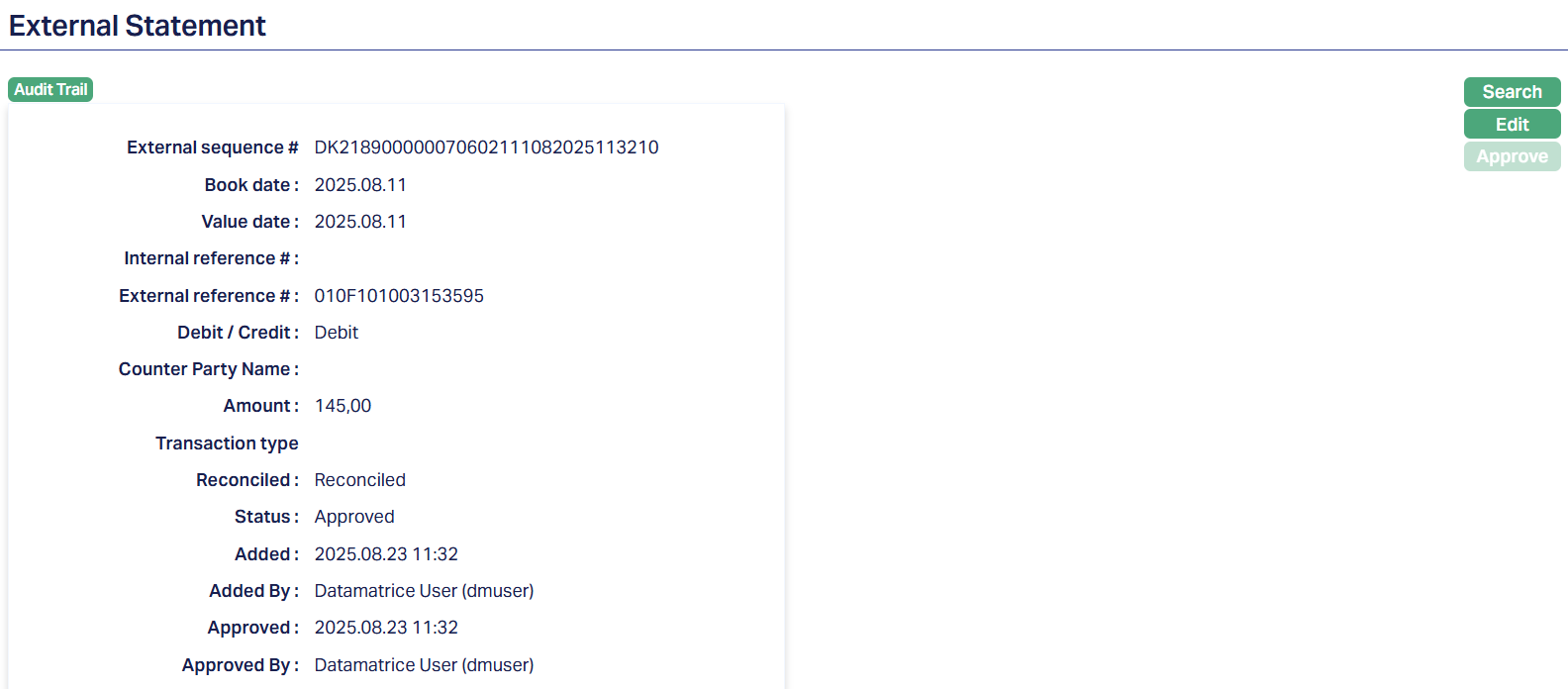
The various fields explained previously are displayed again, along with a few new fields explained below:
Status: It specifies the current state of the external statement transaction as processed in the system. For example, Approved means the transaction has passed all checks/reviews and is finalized; other possible statuses might include Pending, Rejected, Under Review etc.
Added: It specifies the date and time when the external statement transaction was first entered or imported into the system. This is the timestamp showing when this record was created.
Added by: It specifies the user or system account (person or automated process) that created / imported the transaction into the system. Identifies who (or what process) added the entry.
Approved: It specifies the date and time when the transaction was reviewed and accepted (approved) by an authorized person (or process). This indicates when the record moved from a non-final state (such as pending) into a confirmed state.
Approved by: It specifies the user or system account (person or automated process) that performed the approval action , that is, who reviewed and marked the transaction as approved. This is part of the audit trail, showing who gave final acceptance of the external statement line.
To edit the External Statement details
Click Edit. The Edit External Statement page appears.

Only one field is editable, that is the Internal reference # field. The other fields are in read-only mode. Enter the new Internal reference number in the field.
Click Save. The changes will be reflected on the page.
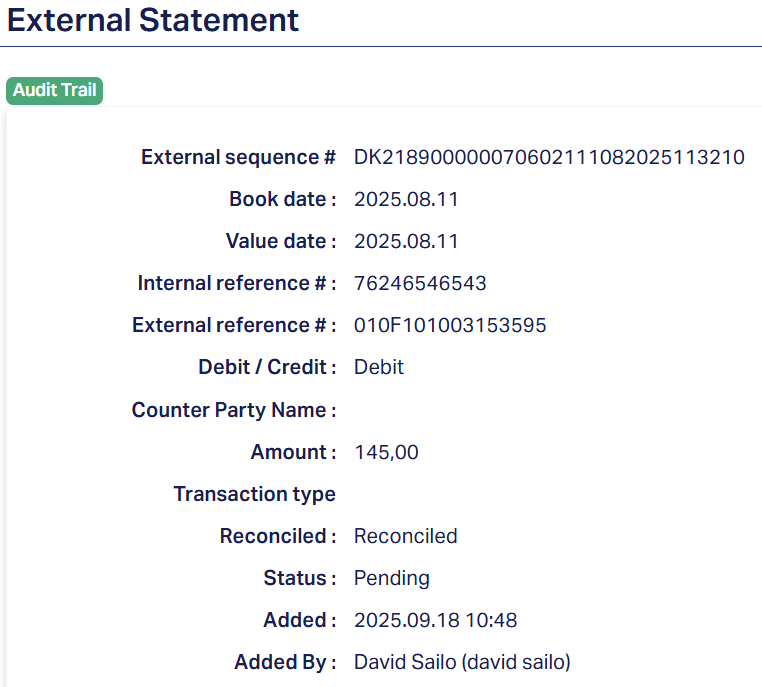
Note: When an external statement record is created or imported it is initially Pending. A different user must perform the Approval action. After approval the Status becomes Approved. Any changes/edits will reset the record's Status to Pending; those changes take effect only after approval by another authorized user.
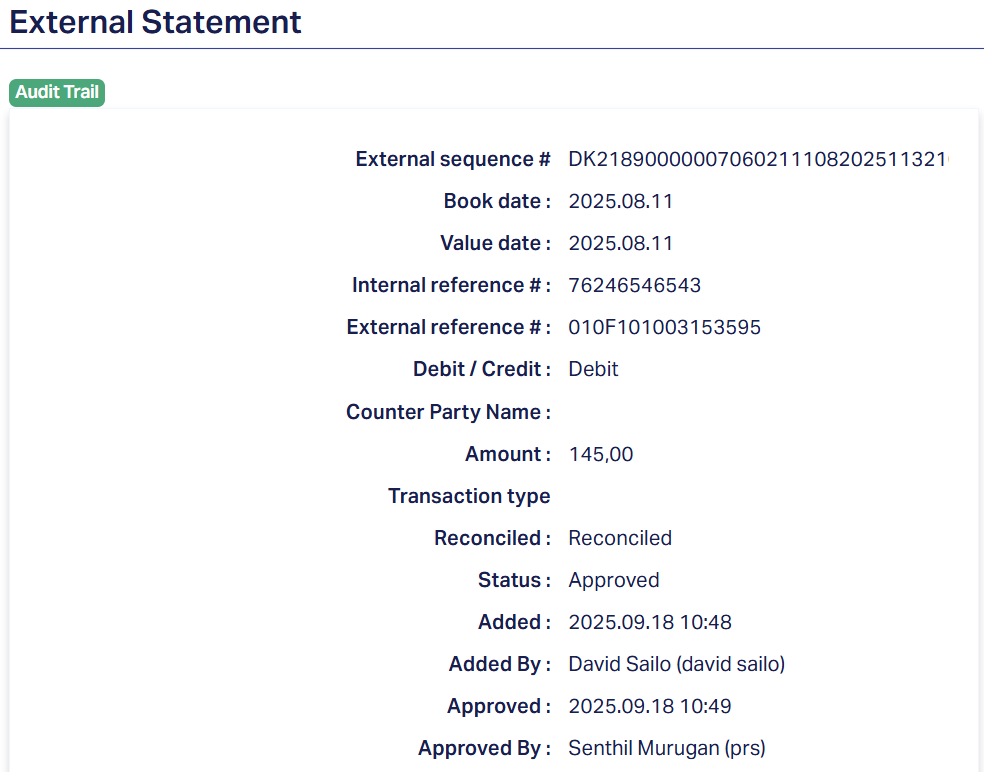
Functions: Search, Edit, Approve