
Transaction Enquiry
The Transaction enquiry menu allows you to view all the transactions that have completed successfully using Aura for Card Accounts.
For instance, when an account opening fee is charged for opening an account and account is activated, this transaction appears in the Transaction Enquiry Search screen.
Viewing a Transaction Enquiry
From Cards menu, click Transaction review, and then Transaction enquiry. The Transaction Enquiry Search page appears.

By default, you will not see any transaction records initially. To search for a Transaction, do one of the following actions:
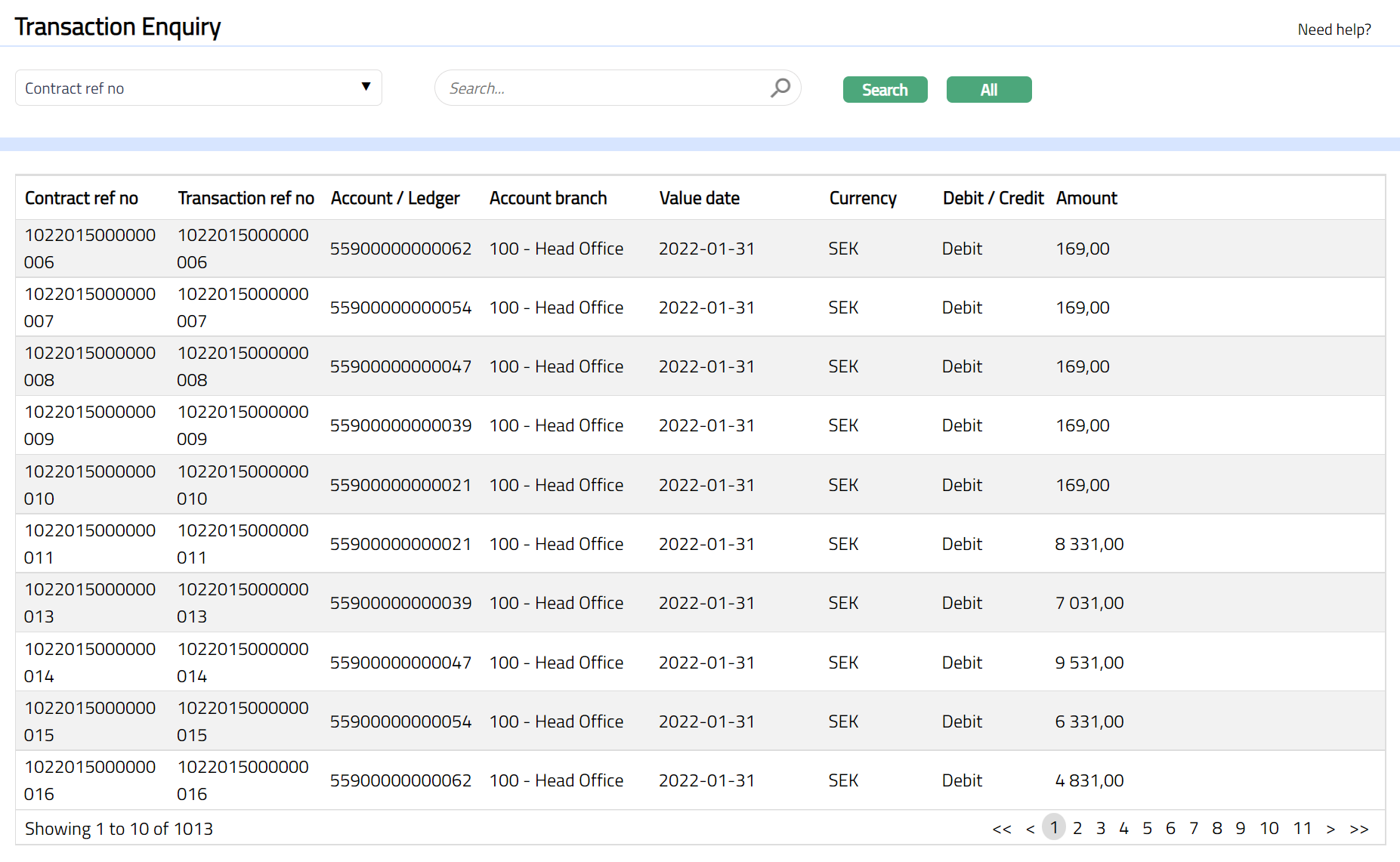
Click All. All successful transactions available in Aura for cards appear on the page, as shown below:
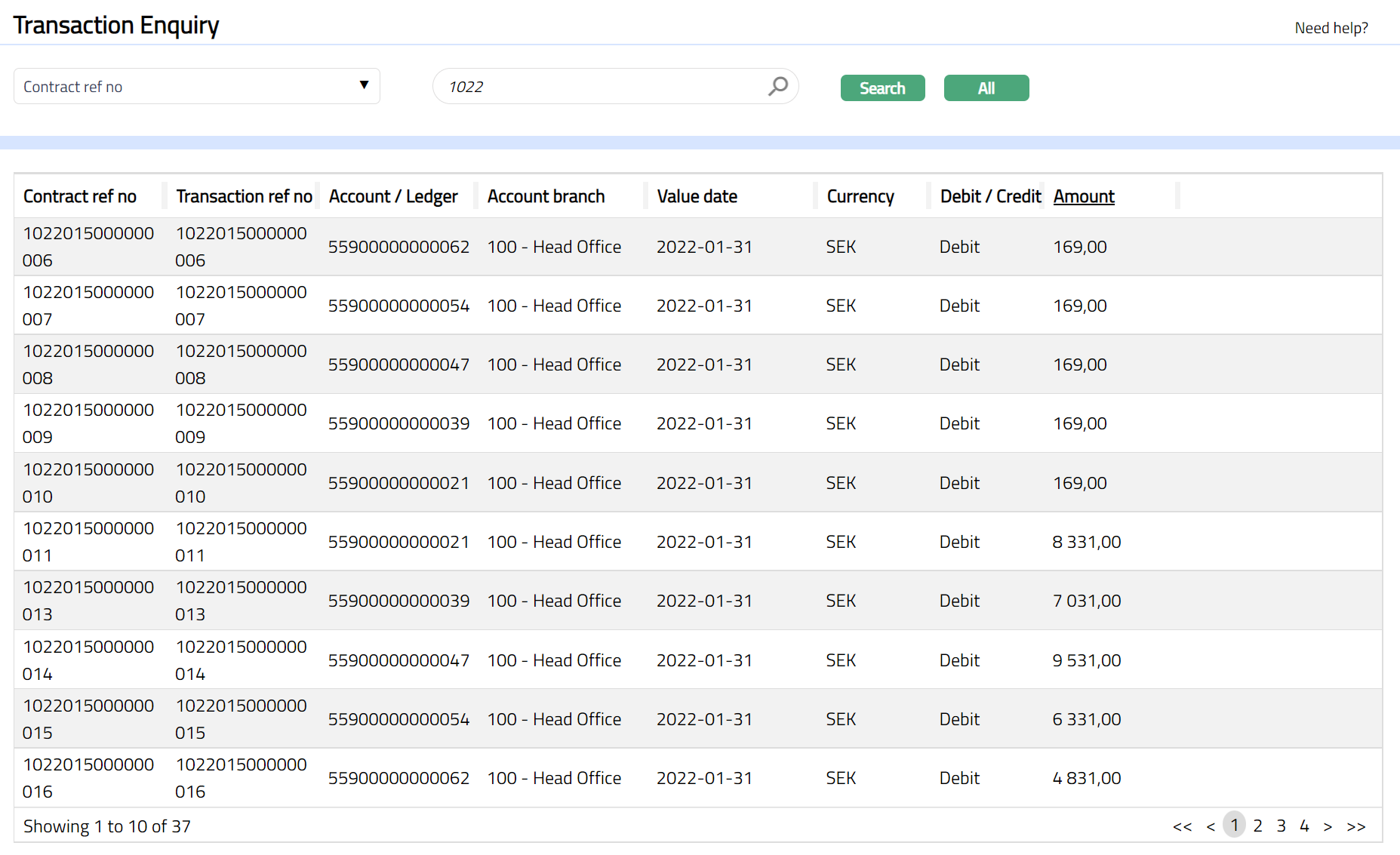
Choose an appropriate search input in the Search for drop-down and input the required value for the condition. You can search based on the following inputs: Account/ledger, Booking date, Contract reference number, Currency, Debit/Credit, Transaction code, Transaction reference number and Value date. For example, select Contract ref no from the Search for dropdown and enter 00183198486 in the search text box. Click Search. All successful transactions available in Aura which satisfy the search condition will appear on the page, as shown below.
Functions: Search, All