
Accounting Period
Accounting period menu is used to specify the period covered by the financial statements which an organization prepares for its internal or external accounts. It is imperative that the accounting period is created as otherwise, no journal entries can be posted.
For internal accounts, the accounting period may be a month or a quarter; for external accounts it is normally a period of 12 months.
The following are the tabs available in Accounting Period
Adding an Accounting period
- From General ledger menu, click Settings, and then Accounting period. Accounting Period Search page appears. All Accounting periods available in Aura appear on the page, sorted based on Period start.
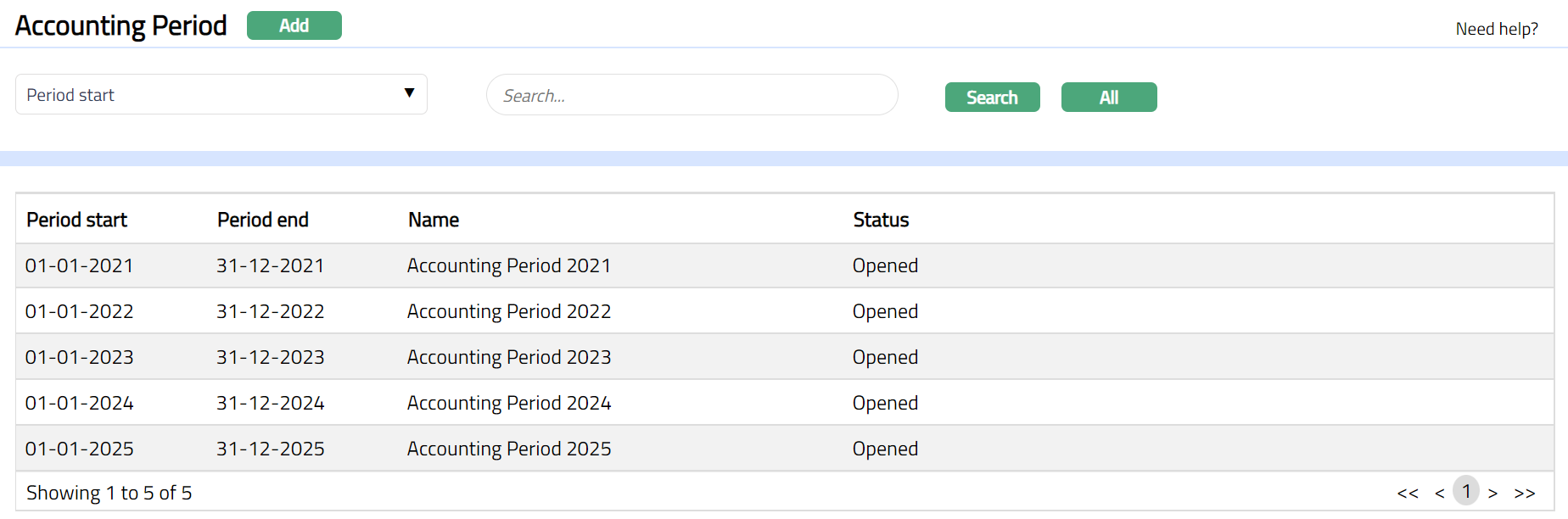
- Click Add. New Accounting Period -- General (1/2) page appears.

Enter the first date of the Accounting period in Period start. If accounting period records have already been created, Aura automatically updates this date as the latest Period end date + 1 and you cannot edit the same.
Period end is a date assigned by Aura that is equal to exactly one year from the Period start. If required, you can modify the Period end by clicking on the date picker located to the right and choosing another date OR by manually changing the date in the field itself. Please note that this has to be the last date of a month
Enter a unique Name for the new Accounting Period being created.
Click Next. New Accounting Period -- Confirmation (2/2) page appears.

- Click Finish. Accounting Period page appears displaying the details of the Accounting Period you added.
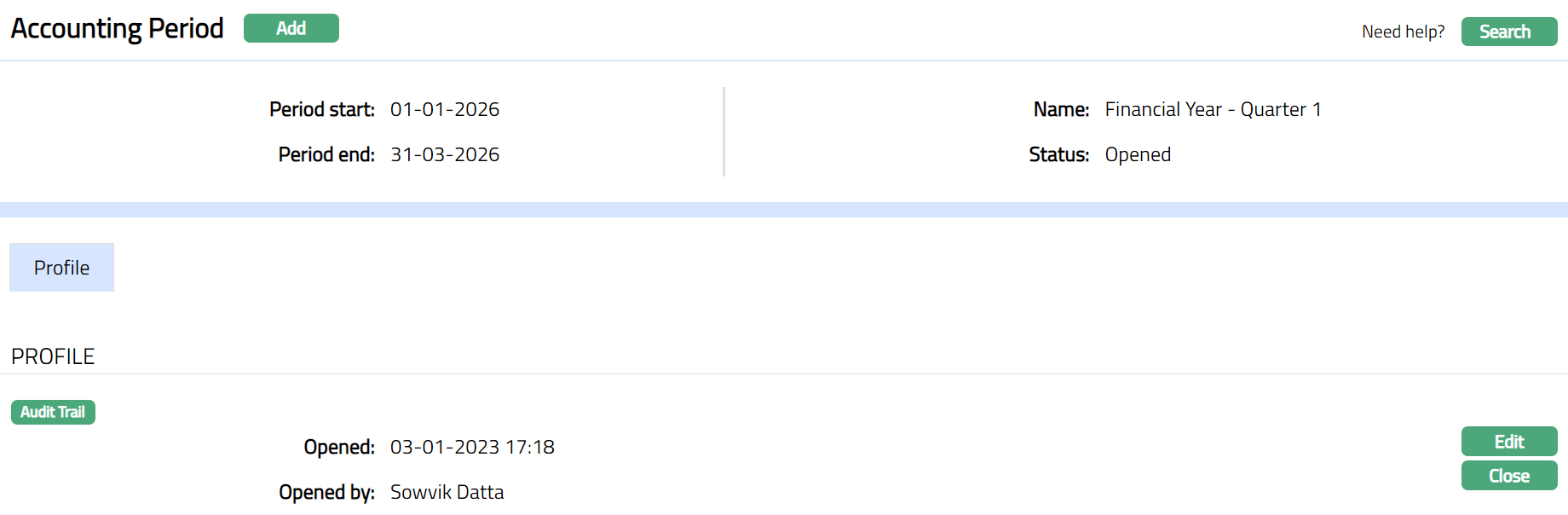 Functions: Add, Search,
On creation of Accounting Period record, the record will be in the Opened status. Only if the Accounting Period is in this status, accounting entries for the period can be posted.
Close: For an Accounting period whose previous Accounting Period has been closed and the period end date is already past, the Close button will become active. In case of the first Accounting period in the system, the Close button is enabled when the period end date is past. To close the Accounting period, click Close. Aura will ask for confirmation. On Confirmation, the accounting period is closed. Once the accounting period is closed, you can neither reopen it nor can you post any further transactions into it. Hence, you should be extremely cautious before closing the accounting period. You may check with your auditors to ensure that all entries pertaining to the accounting period have been completed and only then close the accounting period.
Profile
Profile tab shows the accounting period details entered while creation of the record.

To edit accounting period
- Click Edit. Edit Accounting Period page will appear.
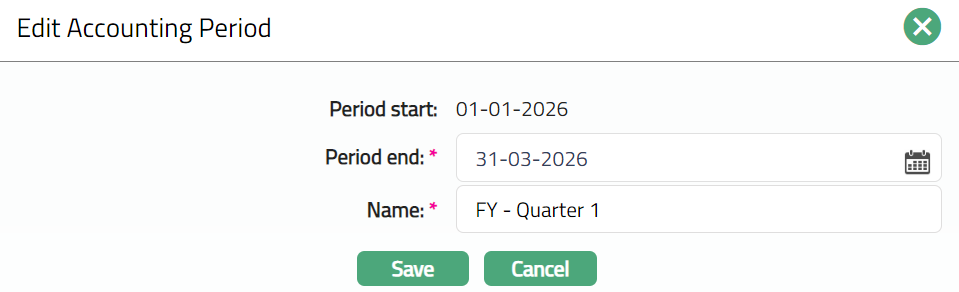
Period end and Name fields are editable. The date input in the Period end should not overlap with any other accounting period.
Click Save. Profile page appears with the edited details.
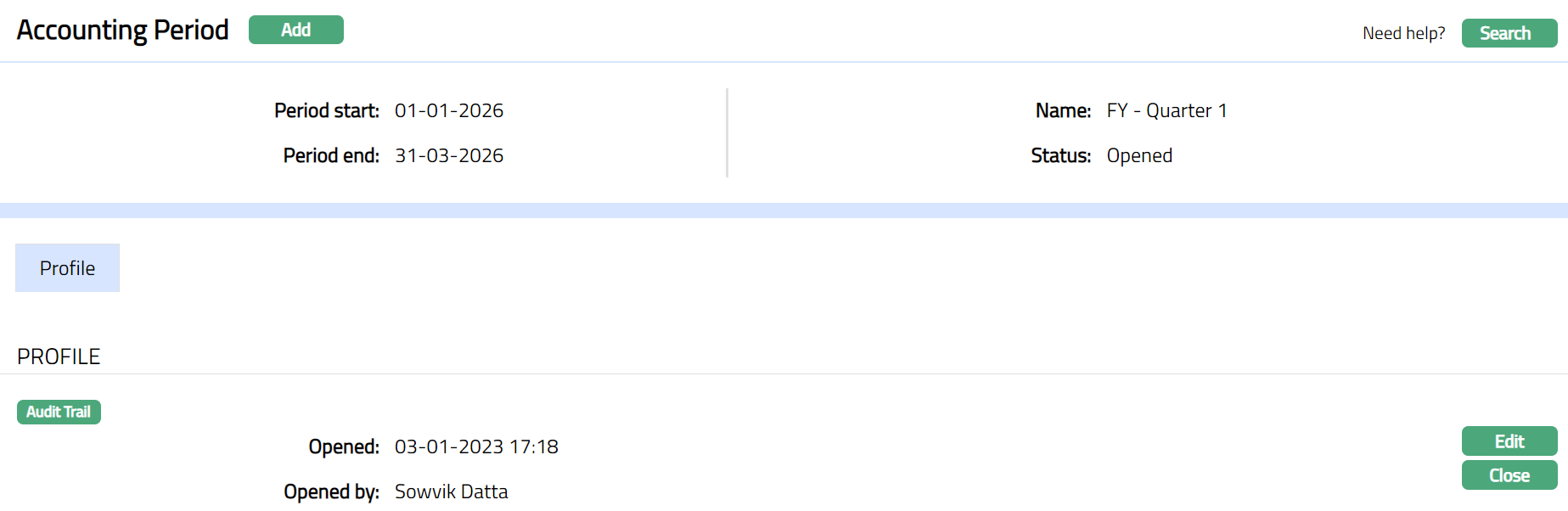
Functions: Edit, Close