
Transaction Enquiry Search
Transaction enquiry menu allows you to view all the transactions that have completed successfully using Aura.
For instance, a Station Journal is created and posted into a Day Journal. When the Day Journal gets approved, this transaction appears in the Transaction Enquiry Search screen. Similarly, other transactions like a Cross Currency Journal also appear in this screen, upon approval or authorisation.
Viewing Transaction Enquiry
From General ledger menu, click Transaction review, and then Transaction enquiry.
Transaction Enquiry Search page appears.

- To search for a Transaction, do one of the following actions:
- Select the required search field from the available drop-down list and click Search. All successful transactions available in Aura appear on the page, as shown below:
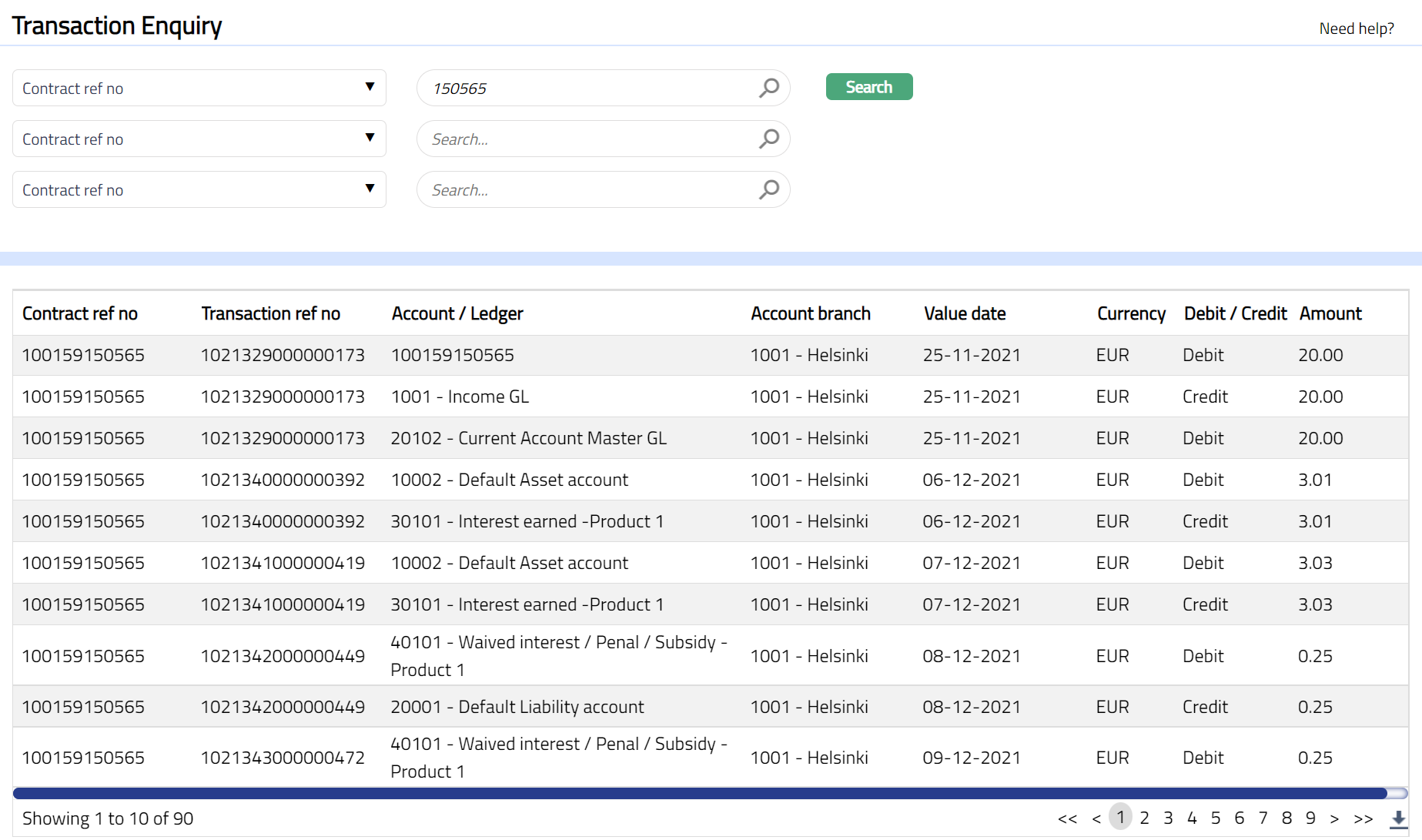
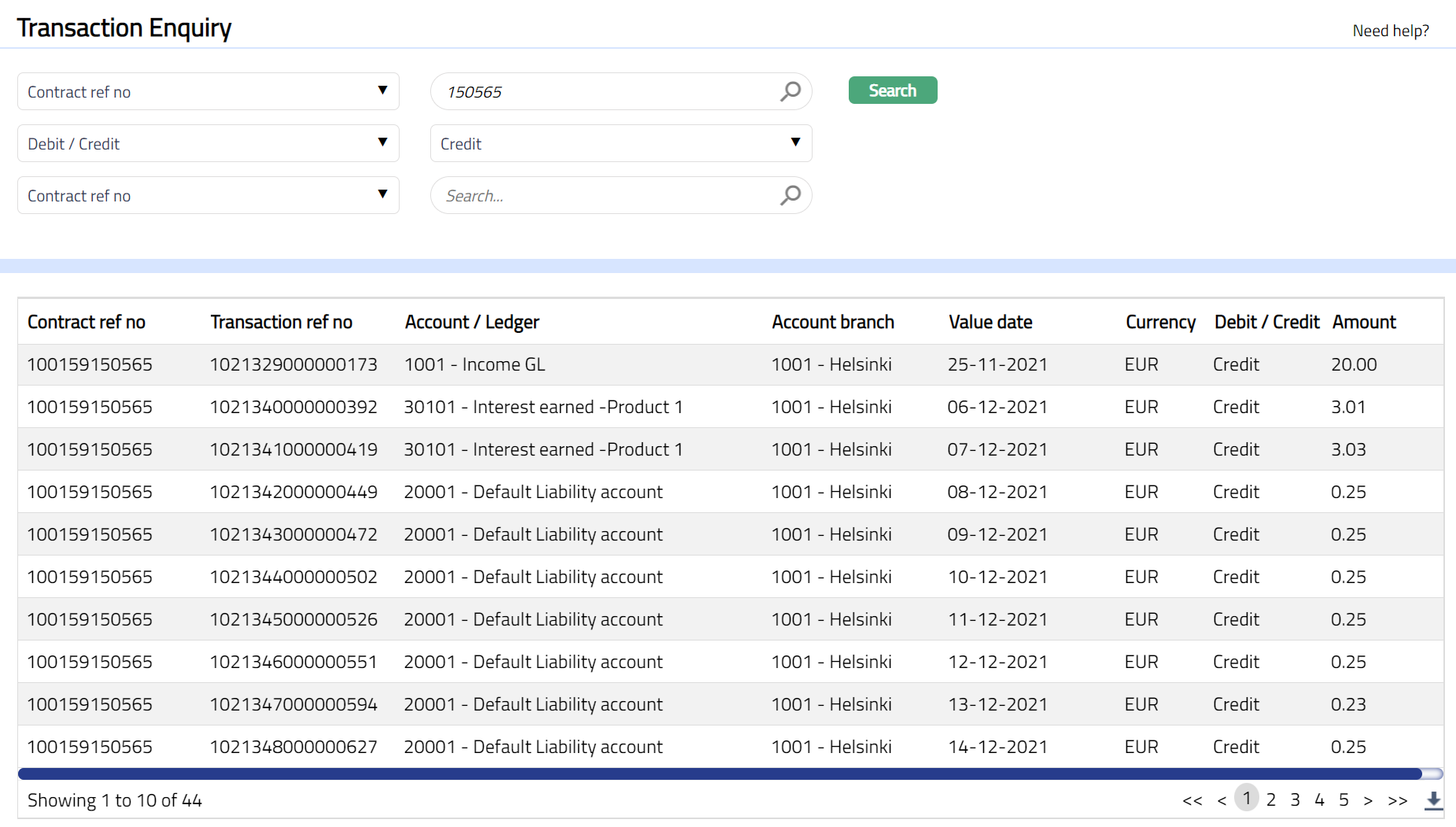
- To view more specific successful transaction records, select an appropriate search input in the textbox provided next to Search button from the available drop-down list, which allows a search by Contract reference number and Credit/Debit. For example, select Contract ref no from the Search box from the available drop-down list and enter 100159150565 in the search text box, then select Credit/Debit from another Search box from the available drop-down list and select any one of the available search parameter Credit or Debit from the drop-down list and click Search. All successful transactions available in Aura which satisfy the search criteria will appear on the page, as shown below:
 Functions: Search