
Process Help
Process Help menu allows you to maintain the information about the Process Help files saved in your system. Using the information maintained here, you can trace the help files.
To add Process Help
- From Admin menu, click System Codes, and then click Process help under Process. Process Help Search page appears. All Process Help records available in Aura appear on the page.

- Click Add. Process Help -- General (1/2) page appears.
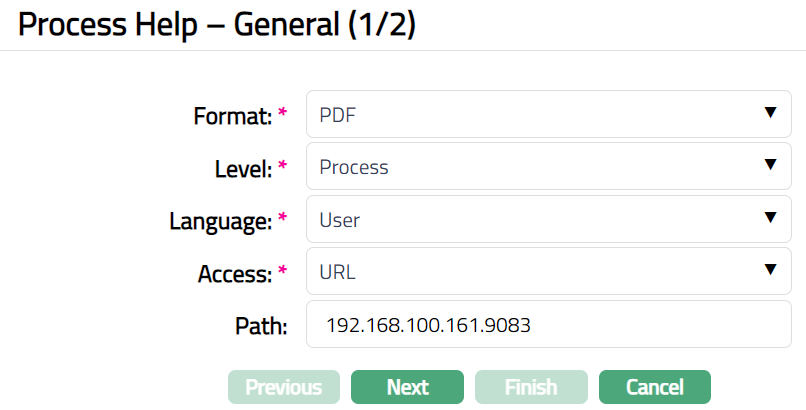
Select Format from the drop-down list of pre-shipped values. The available options are PDF and HTML.
Select Level from the drop-down list of pre-shipped values. The available options are Process and Task.
Select Language from the drop-down list of pre-shipped values. The available options are Default and user.
Select Access option from the drop-down list of pre-shipped values. The available options are File, Internal and URL.
Enter Path.
Click Next. Process Help -- Confirmation (2/2) page appears.
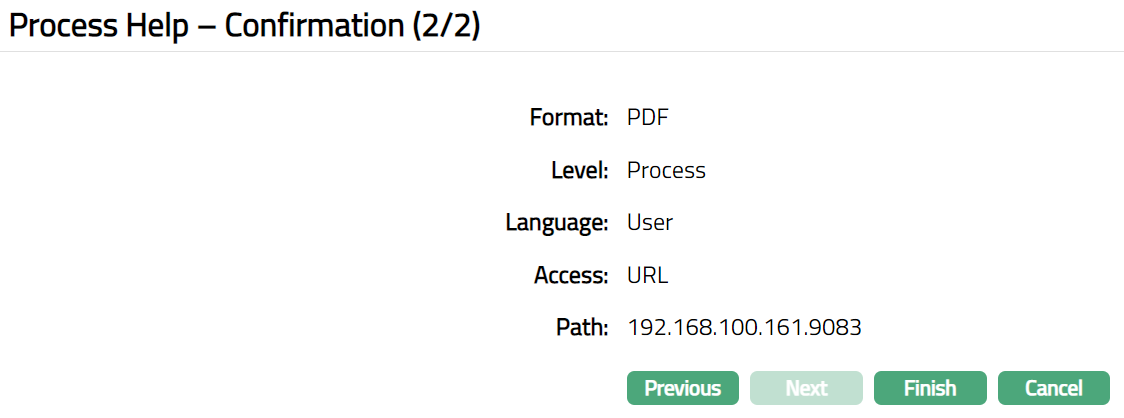
- Click Finish. Process help Maintenance page appears.

Functions: Edit, Delete, Search
Delete: You can delete a Process Help record saved in Aura by a click on Delete button. Aura will ask for confirmation, on approving which the selected record will be deleted.
To edit Process Help
Access Process Help page
Click Edit. Edit Process Help page appears.
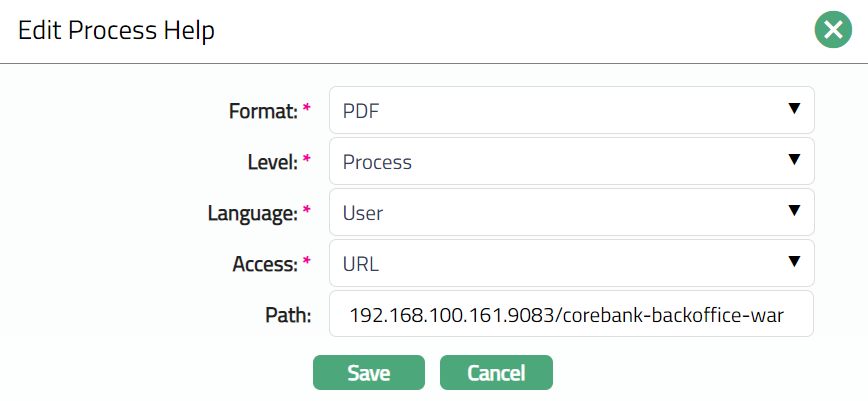
Note: All fields are editable.
- Click Save. Process Help page appears with the edited details.
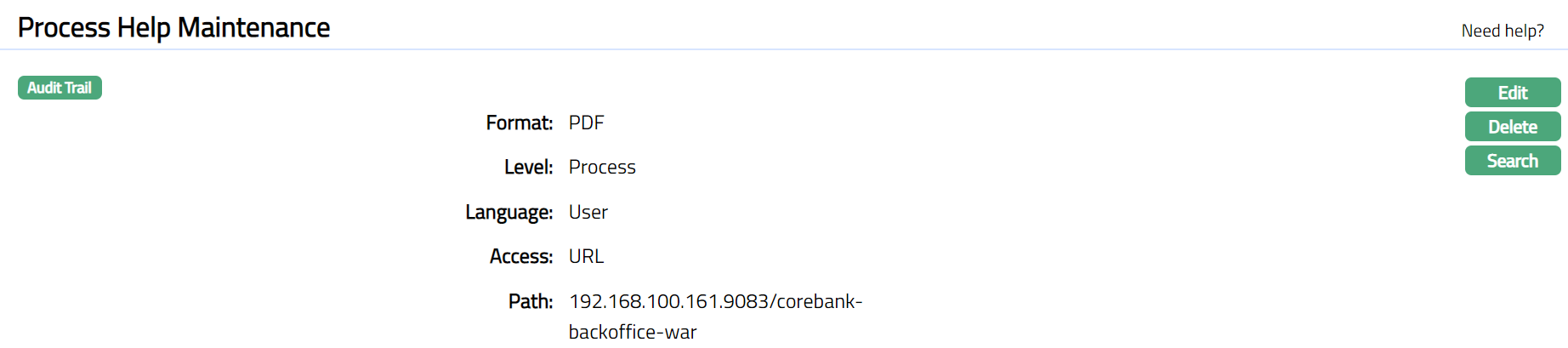
Functions: Edit, Delete, Search.