
Unapproved records
Certain records which are created by a user need approval from another user who is an approving authority. If the record is unapproved the status will remain Pending, and the updated change will not take effect. This option enables you to view all the unapproved records across Aura.
To view all Unapproved records,
From Admin menu, click Users and then Unapproved records.
List of all Unapproved records from various modules appears. The number of records also appears in brackets. Please note that the figures in brackets indicate the number of unapproved records / tabs and not necessarily number of, say, Accounts. Thus, in the sample screen below, the unapproved records in CRM > Clients > Maintain shows 3. This could be if there is one account where 3 tabs are pending to be approved or multiple accounts, where the total number of tabs pending to be approved is 3.
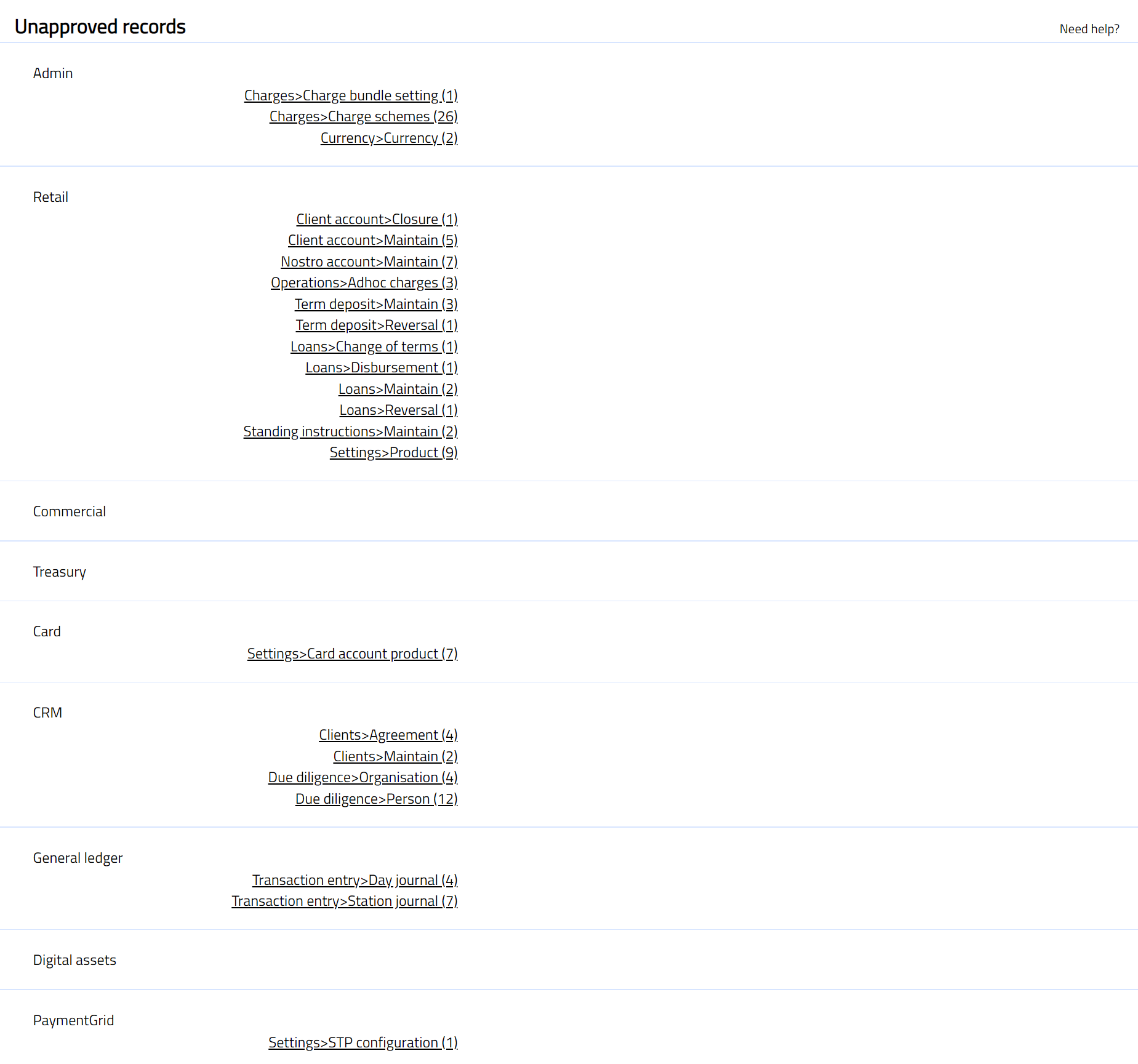
To view records under specific menu, click on the appropriate hyperlink. For example, if you wish to see the unapproved records under CRM > Clients > Maintain then click the hyperlink.
Client Search page appears. Select the Client name to view all the records or use relevant search criteria to get the required results.
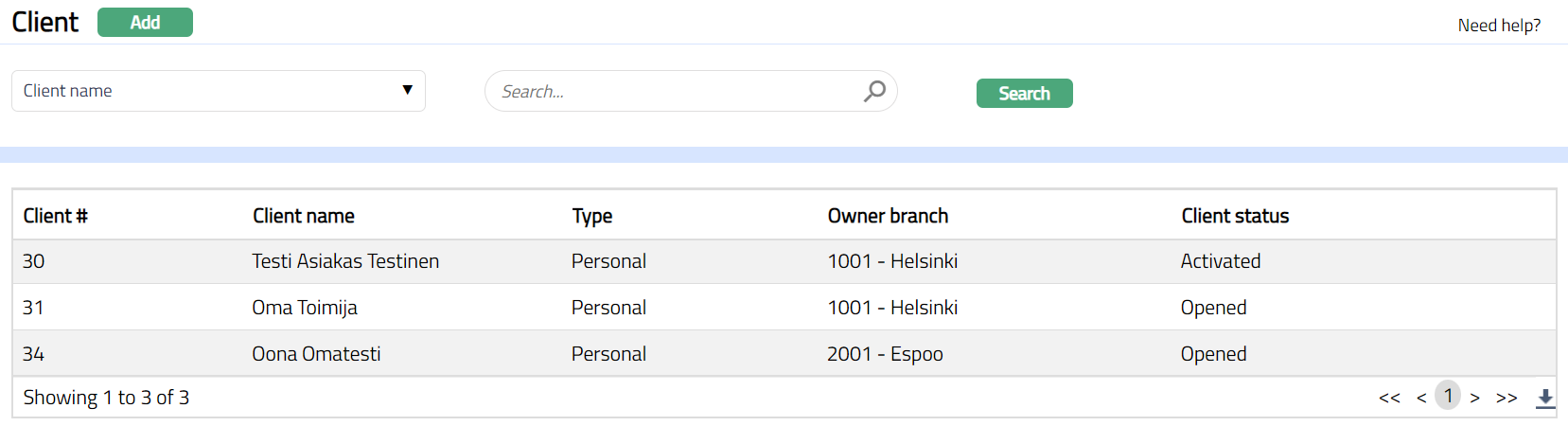
- Click any record to view details. Any tab that is pending to be approved will be shown with a red bubble.
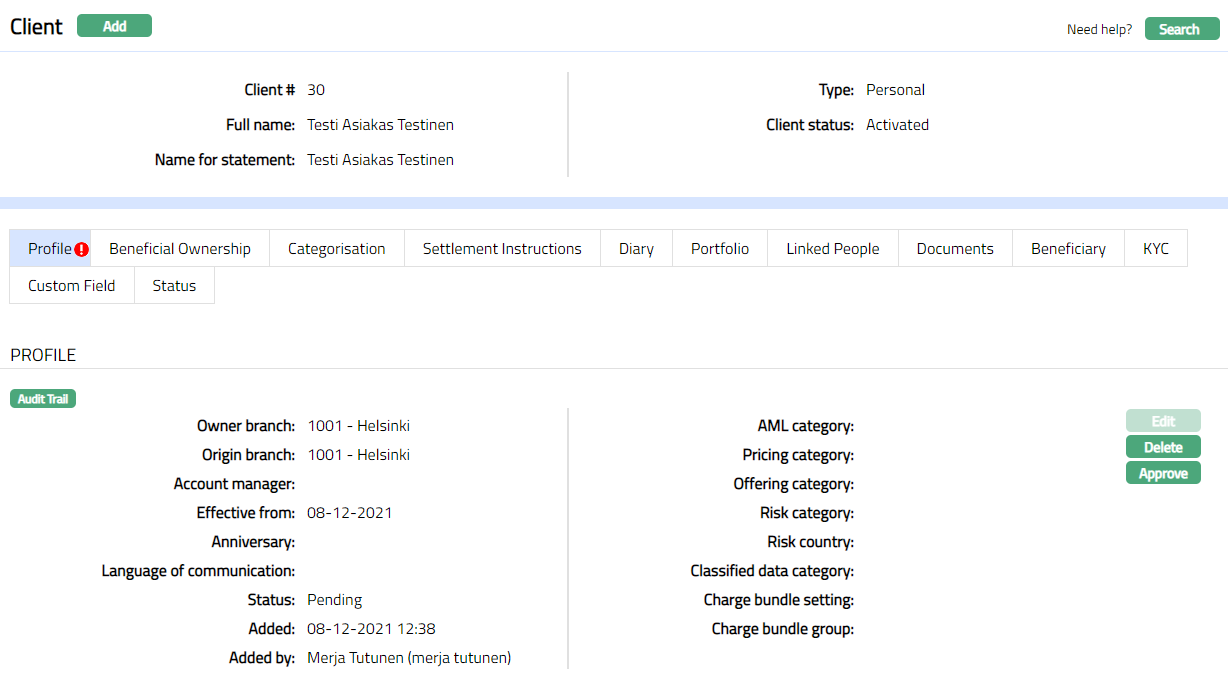
The Approve button is enabled in the unapproved Profile tab of the Client and the Status remains pending.
Click Approve button. The screen shown below appears asking for the confirmation for approval.
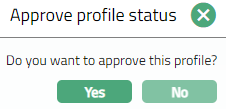
- Click Yes. The unapproved record gets approved and the status in the Profile tab of the Client changes to Approved as shown below and the red bubble disappears.
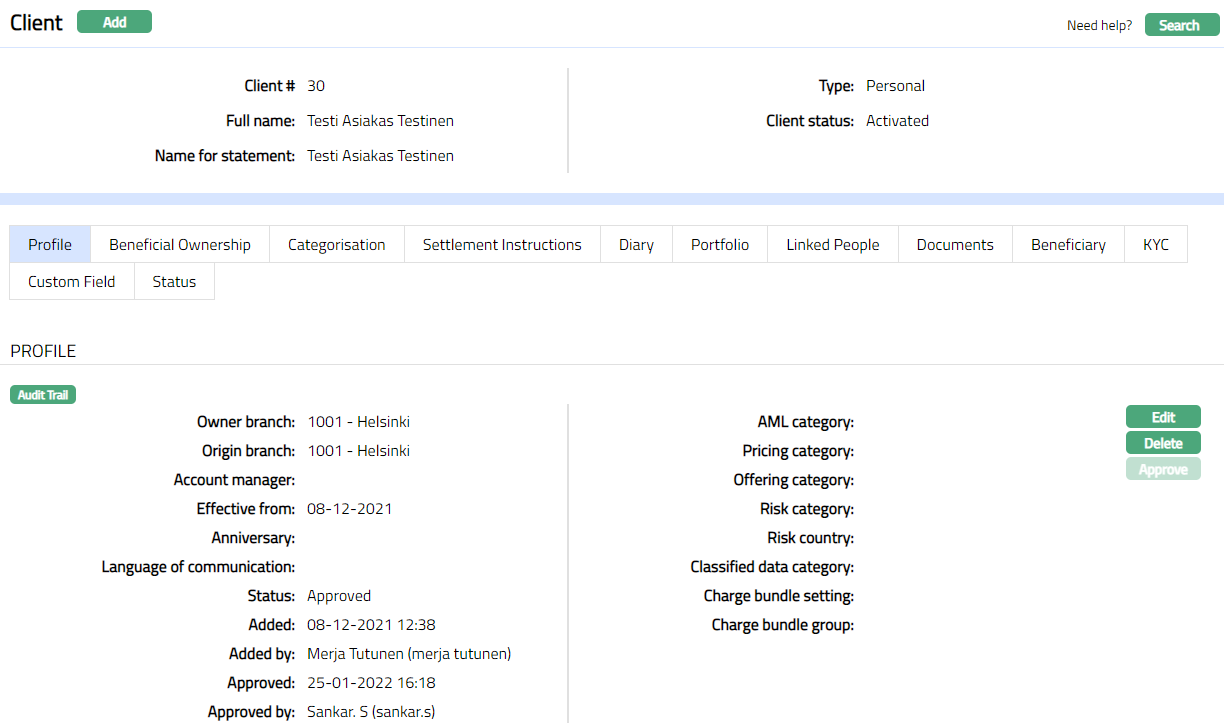
Note: User other than the one who created the record has to approve. The Approve button is disabled once the status is Approved.