
Business Rule Parameter
Business Rule Parameter menu allows you to view all the business rules maintained in Process Designer. However, Aura will allow you to edit the business rules as per the business requirements.
To view/edit the Business Rule Parameter,
1. From Admin menu, click System codes, Process and Business Rule Parameter. The Business Rule Parameter Search page appears.

2. If you want to edit a business rule, click on the rule, the Business Rule Parameter Maintenance page appears.
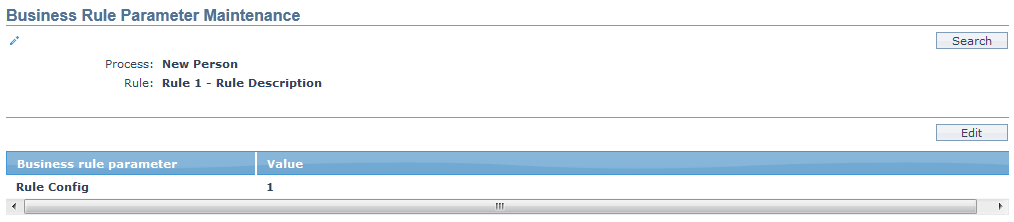
Process specifies the processes maintained in Process Designer.
Rule specifies the business rule set for the Process.
Business rule parameter specifies the parameter for the business rule maintained in Process designer.
Value specifies the value set up for the Business Rule in the workflow. It is the value on the basis of which, the Business rule is checked in Process Designer. However, Aura only allows you to edit the value maintained for the Business Rule**.**
3. Click Edit. The Edit Business Rule Parameter page appears.
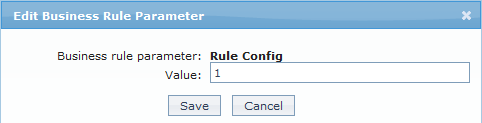
Only the Value field is editable.
4. Make the required changes and click Save.
Function: Edit.