
Card Provider
Card Provider module allows you to maintain the various card providers.
To add Card provider
- From Menu click Card, then click Settings and then Card provider. Card Provider Search page appears.

- Click Add. New Card Provider -- Details (1/2) page appears.
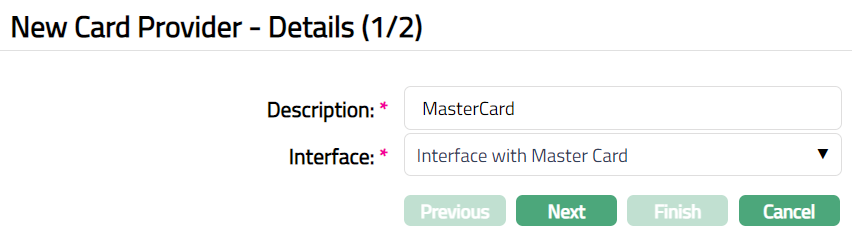
Enter Description for New Card Provider. For example, Master Card.
Choose Interface that will be used for Card Provider, from the available drop-down list of Interface definitions maintained under Admin > System Codes > Interface definition > Maintain. For example, Interface with MasterCard.
Click Next. New Card Provider -- Confirmation (2/2) page appears.
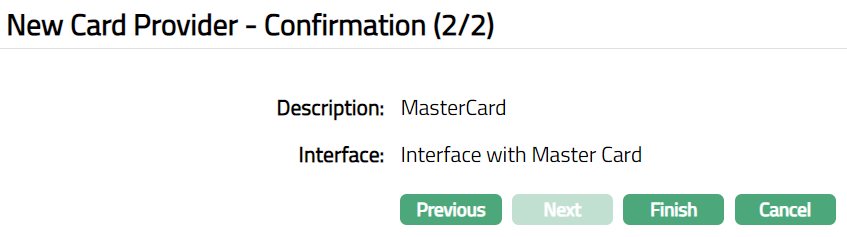
- Click Finish. Card Provider Maintenance page appears with the added details.
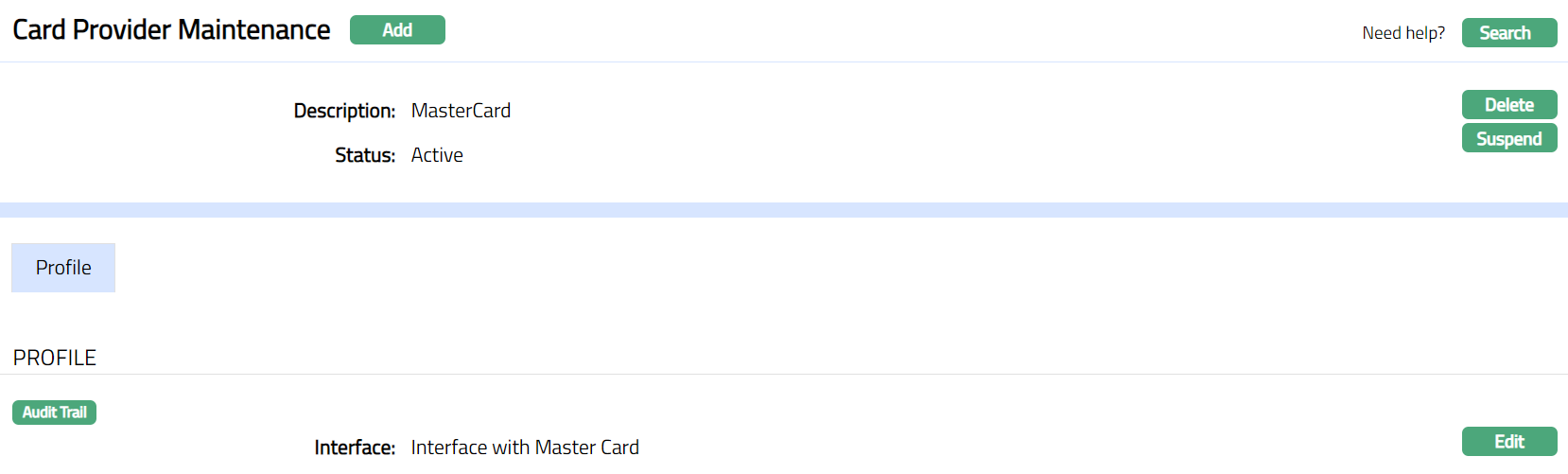
Functions: Add, Search, Delete, Suspend
Delete: You can delete a Card Provider by a clicking Delete button. When you click Delete button, Aura displays an alert message. On confirmation Aura will delete the Card Provider.
Search: You can search a Card Provider saved in Aura by a click on Search button. Aura will then display Card Provider Search screen where you can search a card provider by entering the related search inputs.
Suspend: You can suspend the Card Provider by a click on Suspend button. When you click on Suspend button, Aura displays an alert message. On confirmation, Aura will suspend the Card Provider. Suspend button will be then renamed to Activate. Suspended card provider can be activated by using the Activate button.
Activate: You can activate a suspended card provider by a click on Activate button. When you click on Activate button, Aura displays an alert message. On confirmation Aura will activate the card provider. Activation of a card provider only makes it available in future for any new card provider creation / any other dropdown list.
Profile
Profile tab, which is the default tab in the Card Provider screen, shows the basic details of the Card Provider.
To view / edit Profile
- Access Card Provider page. Click Profile tab to view details as per sample screen shot shown below. The details are defaulted from the entries that you made during Card Provider creation. For details refer to New Card Provider -- Details (1/2).

- Click Edit. Edit Profile page appears.
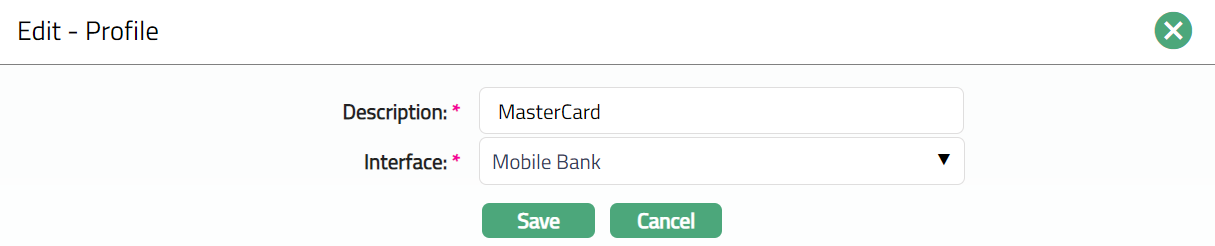
Note: All fields are editable.
- Click Save. Profile page appears with the edited details.
 Functions: Edit