
Zip codes
This option enables you to create and maintain a set of Zip Codes for countries.
To add new Zip code
From Admin menu, click System Codes, Address Details, and then Zip codes. Zip Code Search page appears. All Zip codes available in Aura appear on the page.
Click Add. New Zip codes -- General (1/2) page appears.
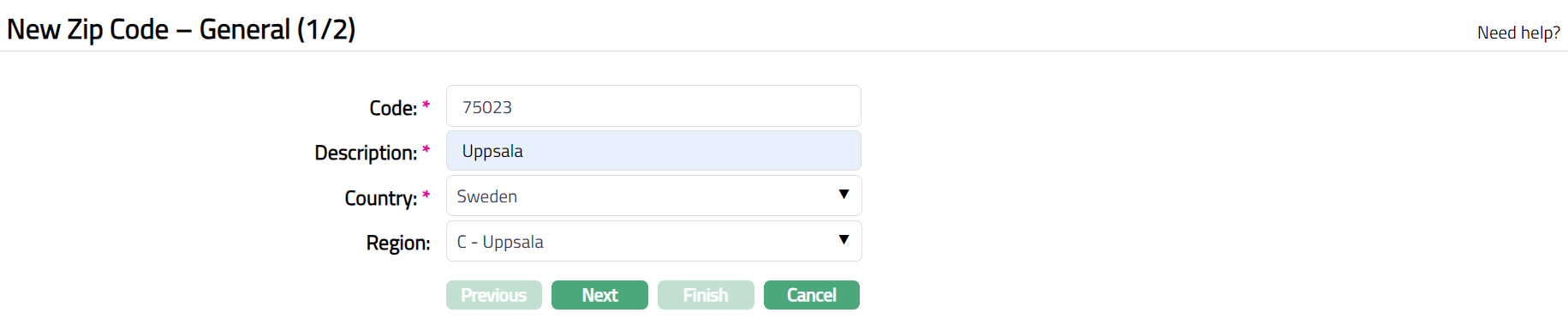
Enter Code for the Zip code. For example, 75023.
Enter Description for the Zip code. For example, Uppsala.
Select Country from the available drop-down list. For example, Sweden
Select Region from the available drop-down list. For example , C - Uppsala.
Click Next. Zip Code -- Confirmation (2/2) page appears.
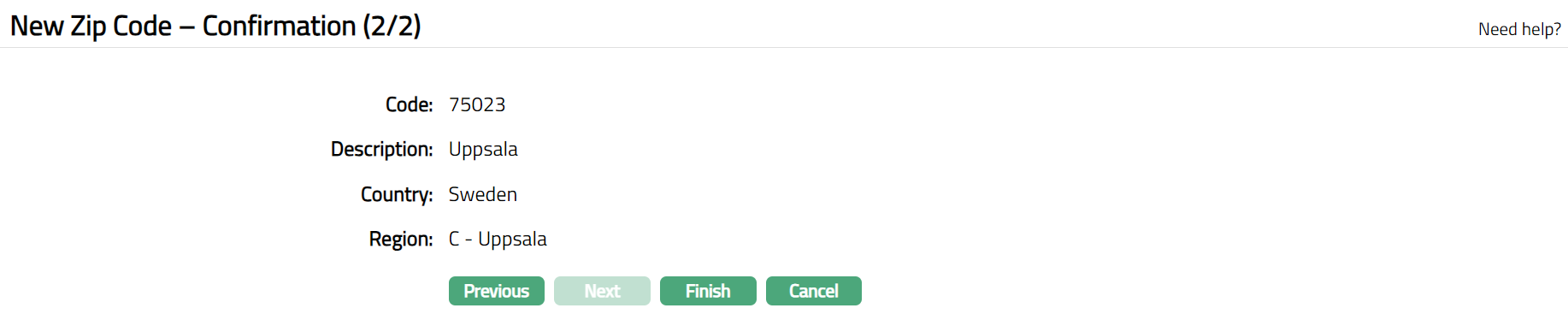
- Click Finish. Zip Code page appears displaying the details of the Zip Code you added.
 Functions: Add, Search, Edit, Delete
To Edit Zip Code.
- Click Edit. Edit Zip Code page appears.
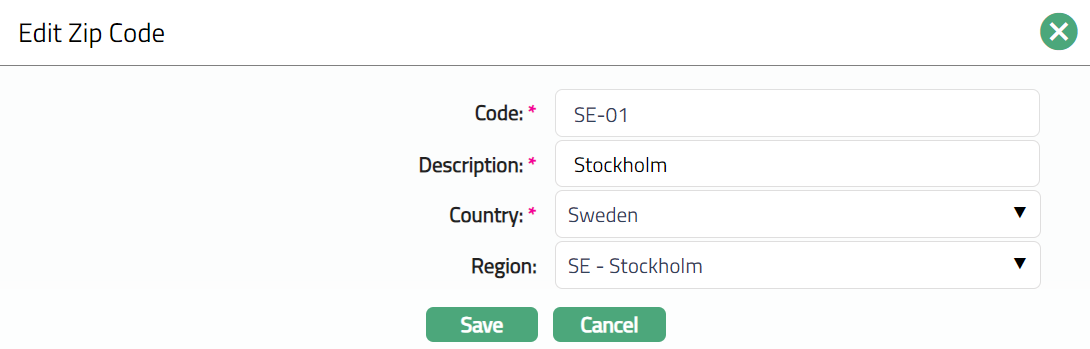
- Do the required changes and click Save. Zip Code page appears with the edited details.
 Functions: Edit, Delete