
Clearing Zone
Clearing Zone specifies the area where the financial institutions clear the Instrument types (like Cheques, Demand Draft etc). This functionality allows you to maintain the details of the zone for clearance.
To add Clearing Zone
- From Admin menu, click System codes, then Generic definitions, and then Clearing Zone. Clearing ZoneSearch page appears.

- Click Add. Clearing Zone -- General (1/2) page appears.

Enter Name for the Clearing Zone.
Click Next. New Clearing Zone -- Confirmation (2/2) page appears.

- Click Finish. The Clearing Zone Maintenance page appears.
 Functions: Add, Edit, Delete, Search
Delete: You can delete a Clearing Zone saved in Aura by a click on Delete button. Aura will ask for confirmation, on approving which, the selected record will be deleted. If the record is already in use, you cannot delete the same.
To edit Clearing Zone
- Click Edit. Edit Clearing Zone page appears.
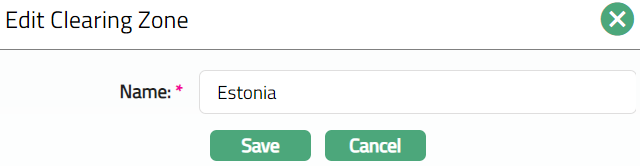
- Click Save. Clearing Zone Maintenance page appears with the edited details.

Functions: Add, Edit, Delete, Search.